

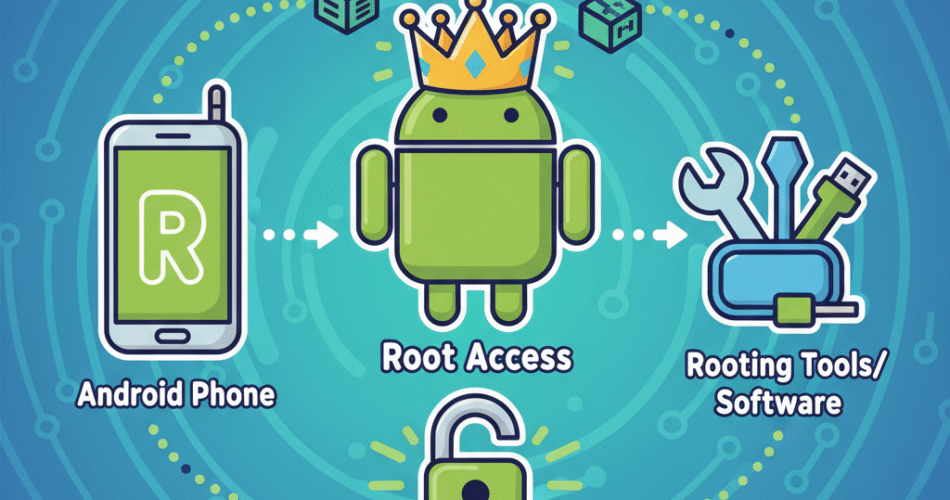
Rooting an Android phone unlocks your device’s full potential, allowing you to customize system settings, remove bloatware, and enhance functionality beyond manufacturer limits. But many hesitate, concerned about security and complexity. This guide will explain exactly how to root Android phone safely, with practical, actionable steps tailored for online security professionals, cybersecurity specialists, CEOs, and tech leaders keen on maintaining control without compromising security.
Rooting is not just for enthusiasts; it’s a strategic tool for device management, optimization, and tailored app deployment. Ready to take control? Let’s dive in.
What is Rooting and Why It Matters
Rooting an Android phone means gaining superuser access to your device’s operating system. This elevated privilege allows you to bypass manufacturer restrictions, customize the OS and apps, and optimize battery and performance settings.
For CEOs and cyber leaders, rooting can provide deeper device management capabilities and app control, crucial for deploying specialized security tools or enterprise apps. However, it must be done carefully to avoid vulnerabilities.
Preparing Your Android for Rooting
Backup and Safety Checks
Before rooting, it’s vital to:
-
Backup your entire phone data (contacts, apps, media) using Google Backup or local tools.
-
Charge your device above 70% battery to avoid interruption.
-
Verify device compatibility with rooting tools and methods.
This preparation ensures you can recover quickly in case of mishaps.
Unlocking the Bootloader
Most Androids ship with a locked bootloader preventing rooting. Unlocking it is a necessary step:
-
Visit your device manufacturer’s website for specific unlock instructions.
-
Use OEM unlock options in Developer Settings.
-
Unlocking wipes your device, so backup is critical.
This step opens the door to install custom recoveries and root binaries safely.
Step-by-Step Methods to Root Your Android Phone
Rooting Using One-Click Apps
For many users, apps like KingoRoot, OneClickRoot, or Magisk provide quick solutions:
-
Download the app from official sources.
-
Follow on-screen instructions to root automatically.
-
Verify root status with root checking apps.
This method is convenient but may not work on all devices or latest Android versions.
Rooting via Custom Recovery (TWRP)
Custom recoveries like TWRP allow flashing root packages:
-
Install TWRP via fastboot commands after unlocking the bootloader.
-
Download the latest Magisk ZIP file, a preferred rooting tool.
-
Reboot into recovery and flash the ZIP.
-
Reboot device and install Magisk Manager app for root control.
This method gives more control and compatibility but requires familiarity with command-line tools.
Using ADB and Fastboot Commands
Advanced users can use Android Debug Bridge (ADB) and fastboot tools to flash root files manually:
-
Connect device to PC with USB debugging enabled.
-
Use commands to boot into fastboot, flash recovery, and root binaries.
-
This requires technical expertise and precise command execution.
Post-Root Essentials: Securing and Optimizing Your Phone
Installing Root Management Apps
-
Use Magisk Manager or SuperSU to grant or deny root permissions to apps.
-
Regularly monitor app access to prevent rooting abuse by malicious software.
Security Risks and Mitigations
Rooting can expose your phone to exploits:
-
Always install from trusted sources.
-
Use firewalls and app permission managers.
-
Regularly update root tools and security patches.
-
Avoid banking or sensitive apps on rooted devices unless necessary and secured.
This careful approach balances power and protection.
Legal and Warranty Considerations
-
Rooting may void your manufacturer warranty.
-
Some jurisdictions consider rooting legal if done by the user.
-
Always research your country’s laws and device policies before proceeding.
Frequently Asked Questions (FAQ)
1. What does it mean to root an Android phone?
Rooting grants admin-level access to the device, allowing deep customization and control.
2. Is rooting safe for cybersecurity professionals?
If done carefully, rooting can aid in security testing and management but increases risk if unmanaged.
3. Will rooting void my warranty?
Typically yes, but policies vary by manufacturer and region.
4. What are the best apps to root Android easily?
Apps like Magisk, KingoRoot, and OneClickRoot are popular choices.
5. Can I unroot my phone after rooting?
Yes, most root tools support unrooting to restore original settings.
6. Does rooting affect phone updates?
Rooted phones often have trouble receiving official OTA updates and may require manual updates.
7. How do I check if my phone is rooted?
Use root checker apps or verify with Magisk Manager.
8. Can rooting improve device performance?
Yes, by removing bloatware and customizing resources, but improper rooting can also slow or brick devices.
Conclusion & Call to Action
Rooting is a powerful tool that, when done right, empowers industry leaders and security professionals with full control over their Android devices. This guide covers everything from preparation, methods, to post-root security, emphasizing best practices and responsible usage.
If unlocking your device’s full potential safely sounds like your next step, follow this guide carefully and join the community of informed Android power users today.