

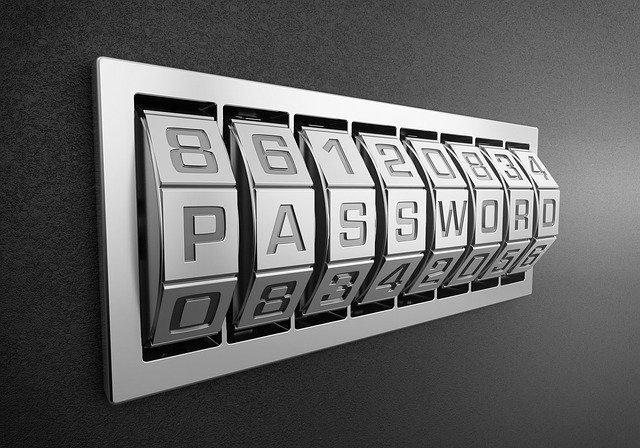
Weak passwords are the Achilles’ heel of cybersecurity. In fact, over 80% of data breaches involve compromised or reused passwords. For online security professionals, business leaders, and even everyday users, the question isn’t if you should strengthen password security—it’s how.
Enter the password manager. This tool has become a cornerstone of modern cybersecurity, helping individuals and businesses manage, secure, and generate strong credentials. But how does it work, and is it truly safe? Let’s explore.
What is a Password Manager?
A password manager is a software application designed to store, manage, and secure your passwords in one encrypted location. Instead of remembering dozens of complex credentials, you only need to remember one master password.
Types of Password Managers:
-
Desktop apps: Installed on a computer, data stored locally.
-
Browser-based: Integrated with web browsers like Chrome or Firefox.
-
Cloud-based: Syncs across devices, ideal for mobile and remote users.
-
Enterprise-level: Includes advanced features like access management for teams.
Core Functions:
-
Generate strong, unique passwords.
-
Autofill login credentials.
-
Store passwords securely with encryption.
Why Use a Password Manager?
Eliminating Weak & Reused Passwords
Most breaches happen because users recycle simple passwords. A password manager ensures every account has a unique, complex password.
Convenience of Secure Autofill
No more typing or forgetting. Managers autofill logins across devices securely.
Centralized, Encrypted Storage
All credentials are stored in a digital vault secured with AES-256 encryption or similar standards.
Multi-Device Synchronization
Cloud-based managers allow seamless access across laptops, phones, and tablets.
Password Manager Security: Are They Safe?
The natural question arises: If all my passwords are in one place, isn’t that risky?
Why They’re Safe
-
Zero-Knowledge Architecture: Providers can’t access your data.
-
Strong Encryption: Industry-standard AES-256 encryption secures stored passwords.
-
MFA Integration: Adds another layer of authentication beyond the master password.
Risks to Watch
-
Choosing unreliable or free providers that sell data.
-
Falling for phishing scams targeting your master password.
Verdict: When you choose a reputable solution, password managers are far safer than storing passwords in browsers or reusing them.
Best Password Manager Features to Look For
When selecting the best password manager, prioritize:
-
Password Generator: Creates unique, strong credentials.
-
Secure Sharing: Allows sharing logins without exposing passwords.
-
Multi-Factor Authentication (MFA): Adds extra protection.
-
Dark Web Monitoring: Alerts if your credentials appear in breaches.
-
Team/Business Management: Admin controls for enterprise use.
Password Manager for Business vs. Individual Use
For Businesses
-
Centralized credential management.
-
Reduced risk of shadow IT.
-
Role-based access controls.
-
Audit trails for compliance.
For Individuals
-
Simplifies personal account management.
-
Reduces likelihood of personal identity theft.
Scenario:
A CEO using a personal manager can secure online banking and email. Meanwhile, an IT team deploying a business-grade manager ensures employees can access resources safely while meeting compliance standards.
Alternatives and Limitations of Password Managers
Password managers aren’t the only option, but they’re the most secure.
-
Password Notebooks: Easy to lose, no encryption.
-
Browser Autofill: Convenient but vulnerable to browser exploits.
-
Single Sign-On (SSO): Great for enterprises but doesn’t cover all accounts.
Takeaway: Password managers complement, not replace, tools like SSO and MFA.
Best Practices for Using a Password Manager Safely
To maximize protection:
-
Enable MFA: Always use multi-factor authentication.
-
Strong Master Password: Your vault’s key must be unbreakable.
-
Keep Software Updated: Patch vulnerabilities quickly.
-
Review Accounts Regularly: Remove outdated credentials.
-
Choose Trusted Providers: Stick with leaders with proven track records.
FAQs on Password Managers
Q1: What is the best password manager for beginners?
Options like 1Password, LastPass, and Bitwarden are beginner-friendly.
Q2: Are free password managers safe?
Some are, like Bitwarden, but many lack advanced features or strong support.
Q3: Can a password manager be hacked?
While theoretically possible, encryption and zero-knowledge design make breaches extremely unlikely.
Q4: Do password managers work across devices?
Yes. Cloud-based solutions sync credentials across desktops, laptops, and mobile devices.
Q5: What happens if I forget my master password?
Most providers cannot recover it for security reasons. Some offer recovery keys or admin resets for enterprises.
Q6: Should businesses mandate password managers for employees?
Yes. It improves security, ensures compliance, and reduces human error.
Q7: How does a password manager improve cybersecurity?
By eliminating weak, reused passwords and ensuring encrypted, centralized storage.
Final Thoughts
In today’s threat landscape, a password manager is no longer optional—it’s essential. It safeguards both individuals and enterprises against one of the most common attack vectors: weak or stolen credentials.
From convenience and productivity to stronger encryption and compliance, the benefits far outweigh the risks.
Action Step: Evaluate your needs, choose a reputable password manager, and adopt strong password hygiene today. It’s one of the simplest yet most effective cybersecurity upgrades you can make.