

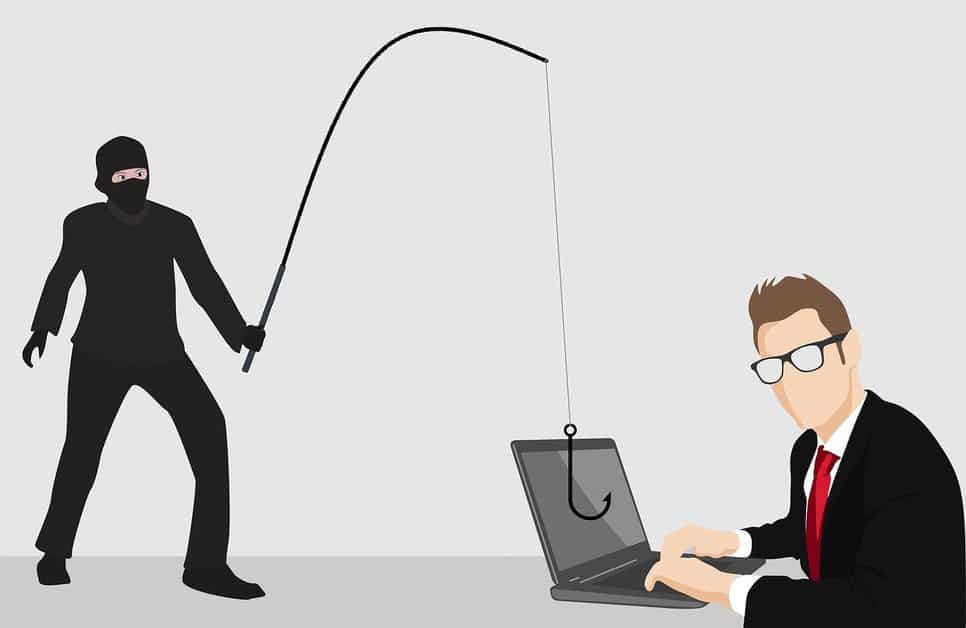
Have you ever wondered what could happen if you accidentally clicked a phishing link on Android phone? In today’s mobile-first world, phishing isn’t just an email problem anymore—it’s on SMS, WhatsApp, and even push notifications. Cybercriminals know we live on our phones, making Android devices a prime target.
According to industry reports, over 60% of phishing attempts now target mobile devices. The consequences can range from stolen banking credentials to a full malware takeover of your smartphone. For professionals and businesses, one careless click can open doors to massive security breaches.
This guide breaks down what happens when you click, how to respond, and the best defenses against mobile phishing attacks.
What Happens If You Click a Phishing Link on Android?
When you click on a phishing link, the danger depends on what’s behind it. Here are the most common risks:
-
Malware Infection – Some phishing links automatically download malicious APKs or redirect you to fake app stores. If installed, these apps can spy on your data or steal SMS codes.
-
Credential Theft – Fake login pages mimic banks, emails, or cloud services, tricking you into entering usernames and passwords.
-
Financial Fraud – Links can lead to fraudulent payment gateways or request sensitive payment details.
-
Corporate Data Breaches – For professionals using BYOD devices, one phishing click could expose your employer’s sensitive systems.
In short, clicking doesn’t always mean instant compromise, but it’s the first step cybercriminals use to lure you deeper into their trap.
Common Signs of a Phishing Link
Recognizing phishing links is the first line of defense. Some red flags include:
Suspicious URLs and Shortened Links
Phishing campaigns often use bit.ly or other shortened URLs to hide the real destination. Always check before tapping.
Fake App Store or Banking Pages
If you land on a login screen that looks slightly “off,” such as missing a padlock or with spelling errors, it’s likely a fake.
Urgent Language in SMS or Emails
Phrases like “Your account will be blocked today!” or “Verify now to avoid suspension” are classic phishing tactics.
Requests for Sensitive Information
Legitimate institutions rarely ask for passwords, PINs, or one-time passcodes over SMS. If they do, it’s a red flag.
How to Detect a Phishing Link on Android Phone
Android offers several built-in and third-party defenses:
-
Browser Protections – Chrome and Samsung Internet warn users of unsafe sites.
-
Security Apps – Tools like Avast Mobile Security, Malwarebytes, or Lookout scan links in real time.
-
Manual Verification – Long-press on a link in SMS or email to preview its destination without opening it.
-
Email Client Filters – Many Android email apps automatically detect and flag phishing messages.
Being proactive about these checks reduces the odds of falling victim.
What To Do If You Click a Phishing Link on Android
Accidents happen. If you already tapped on a suspicious link, here’s what to do:
Immediate Steps to Take
-
Do not enter any information. If the page looks like a login, exit immediately.
-
Disconnect from Wi-Fi or mobile data to stop further communication with the attacker’s server.
-
Clear your browser cache and history to remove stored cookies or malicious scripts.
Scanning with Security Tools
Run a full device scan with a reputable mobile security app to check for malicious downloads or background processes.
Changing Passwords and Enabling MFA
If you entered credentials, change the password immediately. Enable multi-factor authentication (MFA) on all accounts to add an extra layer of security.
Contacting Your Bank or IT Security Team
For financial or work-related accounts, report the incident right away. Quick reporting often limits damage.
Preventing Phishing Attacks on Android Devices
The best strategy is prevention. Here’s how:
Use Mobile Security Software
Install a trusted antivirus or endpoint protection app to monitor real-time threats.
Keep Android OS Updated
System updates patch known vulnerabilities that phishing malware often exploits.
Avoid Installing APKs from Unknown Sources
Disable “Install from unknown sources” unless absolutely necessary. Most phishing attacks rely on tricking users into sideloading malicious apps.
Train Teams with Cybersecurity Awareness
For organizations, employee training on spotting phishing attempts is essential to reduce BYOD-related risks.
Business Impact of Mobile Phishing
Phishing is no longer a consumer-only problem. For enterprises, mobile phishing represents a critical attack vector:
-
Smishing (SMS phishing) is rising fast, targeting employees with fake delivery updates or IT alerts.
-
BYOD Risks – An employee’s compromised Android device can act as a bridge into a corporate network.
-
Compliance Concerns – Data breaches from phishing can trigger GDPR, HIPAA, or other compliance violations.
For CEOs and security leaders, ignoring mobile phishing is no longer an option.
Expert Tips for Cybersecurity Professionals
Security specialists can take advanced measures to mitigate mobile phishing:
-
Zero Trust Policies – Never assume mobile devices are secure by default. Always verify.
-
Secure Mobile Device Management (MDM) – Enforce security policies, app whitelisting, and remote wipe features.
-
Real-Time Threat Intelligence – Use phishing feeds and SOC alerts to detect campaigns before they spread to mobile endpoints.
Final Thoughts
Clicking a phishing link on Android phone is more common than many realize, but it doesn’t have to lead to disaster. By knowing the risks, reacting quickly, and building strong defenses, both individuals and organizations can stay safe.
Cybercriminals thrive on urgency and human error—counter them with knowledge, awareness, and proactive security tools.
✅ CTA: If you’re a business leader or IT security professional, now is the time to invest in mobile phishing defenses before one careless click compromises your entire organization.
❓ FAQs
1. What if I opened a phishing link but didn’t enter information?
You’re likely safe. Just clear your browser history and run a scan to be sure.
2. Can clicking a phishing link install malware on Android?
In some cases, yes—especially if it tries to download a malicious APK. Avoid installing anything prompted by the link.
3. How do I report phishing SMS or email?
You can forward suspicious SMS to 7726 (SPAM) or use in-app reporting in Gmail/Outlook.
4. Is factory reset necessary after a phishing attack?
Not always. Only consider it if malware was downloaded and can’t be removed by a security app.
5. What’s the difference between smishing and phishing?
Smishing is phishing delivered via SMS, while phishing typically happens over email or websites.
6. Do security apps really protect against phishing?
Yes, they block known malicious domains, scan apps, and warn about suspicious behavior.